Images to TGA Converter
Convert JPG and PNG images to TGA format online for free. Fast image to TGA converter for high-quality graphics and textures.
Image to TGA Converter: Convert Images to TGA Online for Free
Do you work with games, 3D models, textures, or old graphics programs and need your pictures in a format that keeps full quality with transparency and alpha channels? The free online tool at https://www.image-extractor.com/image-to-tga-converter helps you turn any regular photo, screenshot, logo, drawing, or graphic into TGA format very quickly. You don’t need to install any app, pay money, or sign up for anything. Just visit the page in your browser, upload your image, click the convert button, and download the ready TGA file. The website keeps the design clean and simple – there is a clear upload area, one main button, and links to other converters like PNG to JPG, image to AVIF, image to AI, image to BMP, image to DDS, image to DIB, image to EPS, image to HEIC, and many more. This makes it easy to try different formats in the same place.
In this article, we explain everything about this tool using very simple English so that even children or beginners can understand. We talk about what TGA is, why people still use it a lot, when you should pick TGA, how to use the converter step by step, the main benefits, useful tips, things to avoid, real examples from daily life, answers to common questions people ask, and why this tool is a good option. Most parts are written in normal paragraphs, and only the really important lists (like benefits or steps when it makes sense) are shown in points.
What Is TGA Format?
TGA stands for Truevision Graphics Adapter or Targa Image File. It is an old but still very useful image format created by Truevision in the 1980s. A TGA file can store photos or graphics with high color depth (8-bit, 16-bit, 24-bit, 32-bit), a full alpha channel for transparency, and run-length encoding (RLE) compression for smaller files when needed. It supports lossless quality, meaning no details are lost when saving. TGA files end with .tga. They became very popular in early 3D games, animation software, and texture work because they keep alpha channels perfectly and load fast in game engines. Even today, many game developers, 3D artists, and modders use TGA for diffuse maps, normal maps, specular maps, and any texture that needs transparency or exact pixel control.
Why People Still Love TGA in 2026
TGA is still used a lot in game development, 3D modeling, and modding because almost every game engine (Unity, Unreal Engine, Godot, Source Engine) and 3D software (Blender, Maya, 3ds Max) supports TGA perfectly. It is one of the few formats that reliably keeps full alpha channels without compression issues. Many older games and tools only accept TGA for textures. It is simple, uncompressed by default (or lightly compressed), and gives pixel-perfect control. Most people search for “convert image to TGA” or “make TGA online free” when they create game textures, mod skins, normal maps, environment maps, or prepare files for game engines and 3D programs.
When You Should Convert Images to TGA
You should use this tool when you need textures or images for games, 3D work, or old graphics software. It is ideal for game textures (diffuse, normal, specular), modding games like Minecraft, GTA, Skyrim, Unity/Unreal projects, 3D model UV maps, alpha-channel graphics, environment maps, particle effects, or any work where you need transparency and exact quality in game engines. If you need photos for web, social media, or printing, formats like JPG, PNG, AVIF, or HEIC are usually better choices.
Step-by-Step Guide to Using the Converter
The whole process is very quick and simple. Here are the exact steps:
Step 1: Go to the Website
Open your browser and visit https://www.image-extractor.com/image-to-tga-converter. The page loads with a spot to add your file.
Step 2: Upload Your Picture
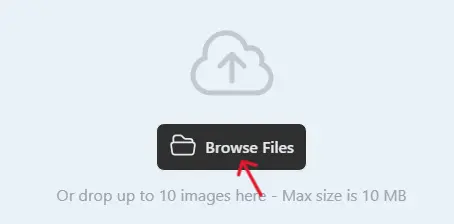
Click the choose file button or drag your image (like a JPG or PNG) from your device.
Step 3: Click Convert
Hit the "Convert" button. The tool reads your image and turns it into TGA format.

Step 4: Download the TGA File
When finished, a download link shows up. Click to save the .tga file.

Done! No hard choices or settings. If your file is large, it might take a bit longer, but it's still fast. If there's a problem, try a smaller file or a different starting format.
Main Benefits of Converting to TGA
Here are the most important advantages in points:
- Keeps 100% quality – no loss during conversion.
- Supports full alpha channel (perfect transparency).
- Works great in Unity, Unreal, Godot, Blender, and most game engines.
- Pixel-perfect control for textures and maps.
- Simple format – uncompressed by default or light RLE compression.
- Reliable for game modding and 3D work.
- No compatibility issues in professional graphics tools.
- Good for any image that needs exact colors and alpha.
Practical Tips for Good Results
Start with clean, high-resolution images – game textures, diffuse maps, normal maps, or simple graphics give the best TGA files. Use PNG input for transparency or sharp edges. Make sure your original is square or power-of-two size (like 512×512, 1024×1024) if it is for games – many engines prefer it. After downloading, test the TGA in your game engine or a viewer like Paint.NET (with TGA plugin) to check alpha and colors. Keep original files safe so you can re-convert with different settings if needed.
Things to Avoid
Do not use TGA for normal web photos or social media – it is not made for that, and files can be large. Do not keep converting the same file many times without going back to the original. Remember that uncompressed TGA files can be very big – use RLE compression if the tool offers it. Do not expect automatic mipmaps or special game compression – TGA is basic; engines add those later. If you see an error, check your internet or try a smaller input file first.
Real-Life Examples
A Minecraft modder converts a custom skin PNG to TGA and adds it to a resource pack – looks perfect in-game. An indie game developer turns concept art into TGA textures for Unity – loads fast with alpha. Friends make funny texture mods for older games and use TGA for compatibility. A 3D artist creates normal maps from high-poly models and saves them as TGA for Unreal Engine. A game texture creator converts diffuse maps to TGA for Source Engine mods – exact colors and transparency.
Why Choose This Converter
This tool is completely free, has a simple page without too many ads or pop-ups, asks for no email or sign-up, and is part of a big collection of image converters. For fast one-time use, testing textures, or making quick TGA files for games and 3D work, it is perfect and very beginner-friendly.
Final Thoughts
The image to TGA converter at https://www.image-extractor.com/image-to-tga-converter is a fast, free, and simple way to make your pictures game-ready or 3D-ready with full alpha channel and exact quality. Whether you want to create textures for Unity/Unreal, mod games, or prepare files for graphics software, this tool makes it super easy. Visit the link, upload any picture, and try making your own TGA right now. You will get files that work great in games and 3D programs, and probably use it again for all your texture needs!