Images to JP2 Converter
Convert JPG and PNG images to JP2 format online for free. Fast and secure image to JP2 converter with high quality and advanced compression.
Image to JP2 Converter: Convert Images to JP2 Online for Free
Do you want your photos, scans, or graphics to have very small file sizes while keeping high quality, especially for archiving, medical images, or professional use? The free online tool at https://www.image-extractor.com/image-to-jp2-converter helps you turn any regular photo, screenshot, drawing, document scan, or graphic into JP2 format very quickly. You don’t need to install any app, pay money, or sign up for anything. Just visit the page in your browser, upload your image, click the convert button, and download the ready JP2 file. The website keeps the design clean and simple – there is a clear upload area, one main button, and links to other converters like PNG to JPG, image to AVIF, image to AI, image to BMP, image to DDS, image to DIB, image to EPS, image to HEIC, and many more. This makes it easy to try different formats in the same place.
In this article, we explain everything about this tool using very simple English so that even children or beginners can understand. We talk about what JP2 is, why people still use it a lot, when you should pick JP2, how to use the converter step by step, the main benefits, useful tips, things to avoid, real examples from daily life, answers to common questions people ask, and why this tool is a good option. Most parts are written in normal paragraphs, and only the really important lists (like benefits or steps when it makes sense) are shown in points.
What Is The JP2 Format?
JP2 stands for JPEG 2000. It is an advanced image format created as an upgrade to the original JPEG (JPG) standard. JP2 uses wavelet compression instead of the older block-based method, which allows much better quality at low file sizes. A JP2 file can store photos or graphics with lossless compression (no quality loss at all) or lossy compression (smaller files with very little visible loss). It supports high bit depths (up to 16-bit or more), wide color spaces, transparency (alpha channel), HDR-like dynamic range, and even animations in some cases. JP2 files usually end with .jp2 or .jpx. Because of its superior compression and quality, JP2 became a standard for digital archiving, medical imaging (like X-rays and MRIs), satellite photos, cultural heritage scanning, and professional photography, where long-term storage and detail matter.
Why People Still Love JP2
JP2 is still very popular in professional fields because it gives much better results than old JPG for archiving and high-quality needs. Many libraries, museums, hospitals, government offices, and research centers use JP2 for long-term digital preservation. It is an open standard (no patent issues like older JPEG), supports lossless mode, and keeps details even after heavy compression. While not as common on the web as JPG or WebP, JP2 is trusted where quality cannot be compromised. Most people search for “convert image to JP2” or “make JP2 online free” when they need to archive scans, medical images, high-resolution photos, or prepare files for libraries, museums, or scientific work.
When You Should Convert Images to JP2
You should use this tool when you want high-quality images in smaller files for long-term storage or professional use. It is ideal for archiving scanned documents, photographs, artwork, medical scans, satellite images, cultural heritage records, library digitization, scientific data, or any project where you need lossless or near-lossless quality with good compression. If you need fast web loading or maximum compatibility with everyday apps and social media, formats like JPG, PNG, AVIF, or WebP are usually better choices.
Step-by-Step Guide to Using the Converter
The whole process is very quick and simple. Here are the exact steps:
Step 1: Go to the Website
Open your browser and visit https://www.image-extractor.com/image-to-jp2-converter. The page loads with a spot to add your file.
Step 2: Upload Your Picture
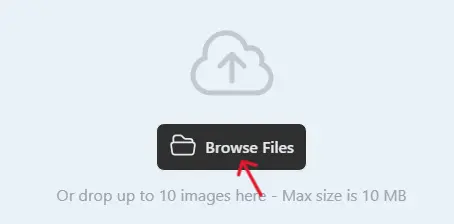
Click the choose file button or drag your image (like a JPG or PNG) from your device.
Step 3: Click Convert
Hit the "Convert" button. The tool reads your image and turns it into an JP2 format.

Step 4: Download the JP2 File
When finished, a download link shows up. Click to save the .jp2 file.

Done! No hard choices or settings. If your file is large, it might take a bit longer, but it's still fast. If there's a problem, try a smaller file or a different starting format.
Main Benefits of Converting to JP2
Here are the most important advantages in points:
- Much better compression than old JPG – smaller files or higher quality.
- Supports lossless mode – zero quality loss when needed.
- Keeps fine details, smooth gradients, and no blocky artifacts.
- Supports high bit depth, wide colors, and transparency.
- Great for long-term archiving and preservation.
- Used as a standard in libraries, museums, and medical imaging.
- Open format – no licensing problems.
- Better quality at low bitrates than traditional JPEG.
Practical Tips for Good Results
Start with high-quality originals – clear scans, good photos, or sharp graphics give the best JP2 files. Use lossless mode if the tool offers the option (or assume it does high-quality default). For documents or line art, PNG input often works well. After downloading, open the JP2 file in a viewer that supports it (like IrfanView, Photoshop, or browser extensions) to check sharpness and colors. Keep original files safe so you can convert again if needed. For archiving, name files clearly like “document_scan_2026.jp2” and store them in folders with metadata if possible.
Things to Avoid
Do not use JP2 for everyday web sharing or social media – most browsers and apps do not support it well. Do not keep converting the same file many times – always go back to the original. Remember that some older programs cannot open JP2 – check compatibility first. Do not expect tiny sizes on already small files. If you see an error, check your internet or try a smaller input file first.
Real-Life Examples
A library digitizes old books and manuscripts and converts scans to JP2 for long-term archiving – saves space and keeps every detail. A hospital technician converts X-ray images to JP2 for medical records – high quality with smaller storage needs. A museum archives historical photographs in JP2 – preserves fine textures for future generations. A photographer saves high-resolution master copies in JP2 – better than TIFF for size without quality loss. A researcher converts satellite images to JP2 – easier to store large datasets.
Why Choose This Image to JP2 Converter
This tool is completely free, has a simple page without too many ads or pop-ups, asks for no email or sign-up, and is part of a big collection of image converters. For fast one-time use, testing JP2 quality, or making quick JP2 files for archiving or professional work, it is perfect and very beginner-friendly.
Final Thoughts
The image to JP2 converter at https://www.image-extractor.com/image-to-jp2-converter is a smart, fast, and free way to make your images smaller and higher quality for archiving, scanning, medical, or professional needs. Whether you want long-term storage, better compression, or preservation of details, this tool makes it super easy. Visit the link, upload any picture or scan, and try making your own JP2 right now. You will get efficient, high-quality files and probably use it again for important projects!